Service

Mapillary Map Traces / GPX Service
Jan 23,2026
GISBox is a one-stop 3D GIS data editing, conversion and publishing platform that supports editing in multiple GIS formats such as OSGB/GEOTIFF/RVT, converting to 3DTiles/Terrain and publishing.
Introduction
The Mapillary Map Traces / GPX service is an interface for providing trajectory data accompanying street-level imagery collection, offered by Mapillary. It enables the publication and retrieval of movement paths (traces) corresponding to street-level images captured and uploaded by users as geospatial data. Primarily delivered in standard formats such as GPX, it provides user movement trajectories—from walking, cycling, or driving—as time‑series coordinate data, allowing spatially‑linked analysis and visualization alongside street‑level imagery. These trace data are highly compatible with open‑map ecosystems like OpenStreetMap (OSM) and serve as an important supplementary data source for real‑world road and route information.
File Structure
The Mapillary Map Traces / GPX service is primarily composed of the following elements: positioning data obtained by users during movement is recorded as continuous trajectories through means such as GPS and linked to imagery data on the Mapillary platform. These trajectories can be retrieved in GPX format or via API, with each track containing timestamp information, latitude and longitude, and elevation (where available). Trace data are often anonymized and simplified before being published, allowing for analysis of street networks and movement patterns without identifying individuals.
Pros
- Strong Linkage with Street‑Level Imagery: Generated from the same collection process as Mapillary’s image data, enabling accurate correspondence between street‑level imagery and movement paths, which is ideal for analyses combining visual and spatial information.
- High Compatibility through Standard Formats: Adoption of widely‑used trajectory formats such as GPX facilitates easy integration into GIS software, map‑editing tools, and analytical platforms.
- Compatibility with Open Data: Well‑suited to open‑map projects like OpenStreetMap, supporting road‑shape validation, discovery of new roads, and updates to existing data.
- Coverage of Diverse Modes of Transport: Includes trajectories from walking, cycling, driving, and more, enabling analysis at scales ranging from urban down to individual street levels.
Cons
- Variability in Positioning Accuracy: Reliance on smartphones or consumer‑grade GPS can result in positional errors or drift in urban canyons or forested areas.
- Regional Disparities in Data Density: As a user‑generated service, trace data tend to be dense in urban areas but may be sparse or absent in rural or developing regions.
- Lack of Detailed Traffic Attributes: While traces indicate movement paths, they do not include detailed traffic attributes such as speed limits, lane counts, or traffic regulations.
- Constraints due to Privacy Considerations: Anonymization and simplification may lead to the omission of certain start/end points or thinning of trajectories, making them less suitable for precise individual‑behavior analysis.
Application Scenario
The Mapillary Map Traces / GPX service is used for verifying and updating street networks, understanding urban infrastructure, and analyzing pedestrian and cyclist flows—applications that require insights into real‑world movement patterns. In particular, when combined with street‑view imagery, it enables spatial analysis alongside visual verification of road conditions, signage placement, and accessibility features. It also serves as auxiliary data for map‑editing based on open‑data platforms, research‑oriented movement‑pattern analysis, and improving navigation accuracy, contributing to richer geographic information grounded in real‑world contexts.
Example
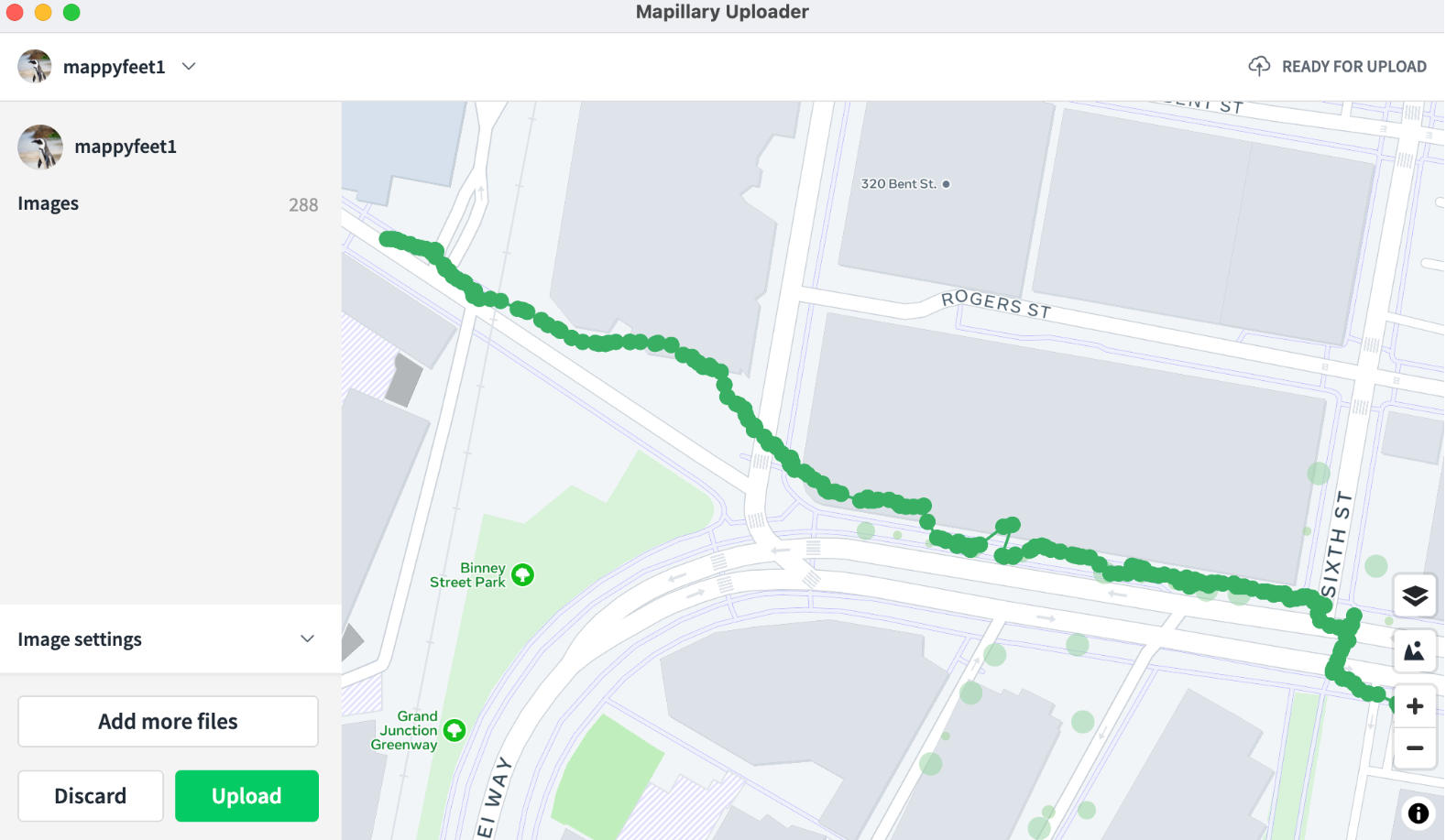
1. Mobile/Desktop Uploader.
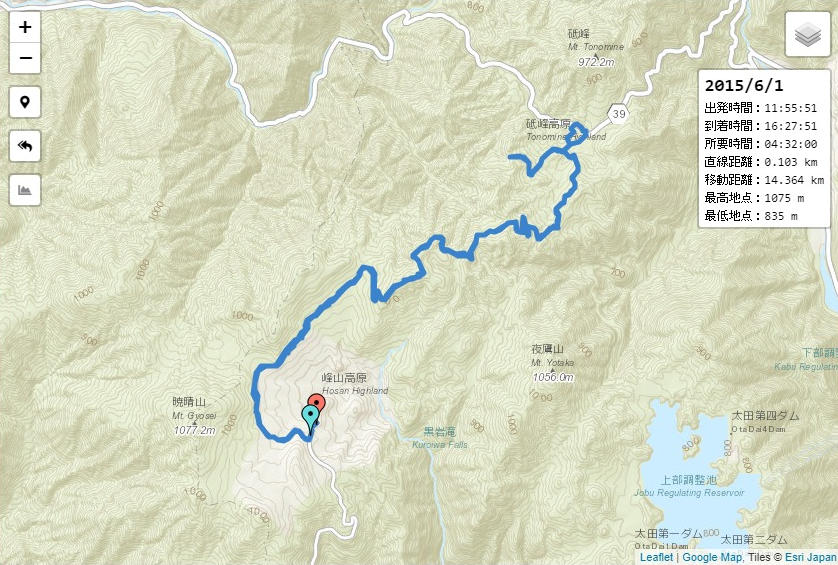
2. GPX File Example.
File Opening Mode
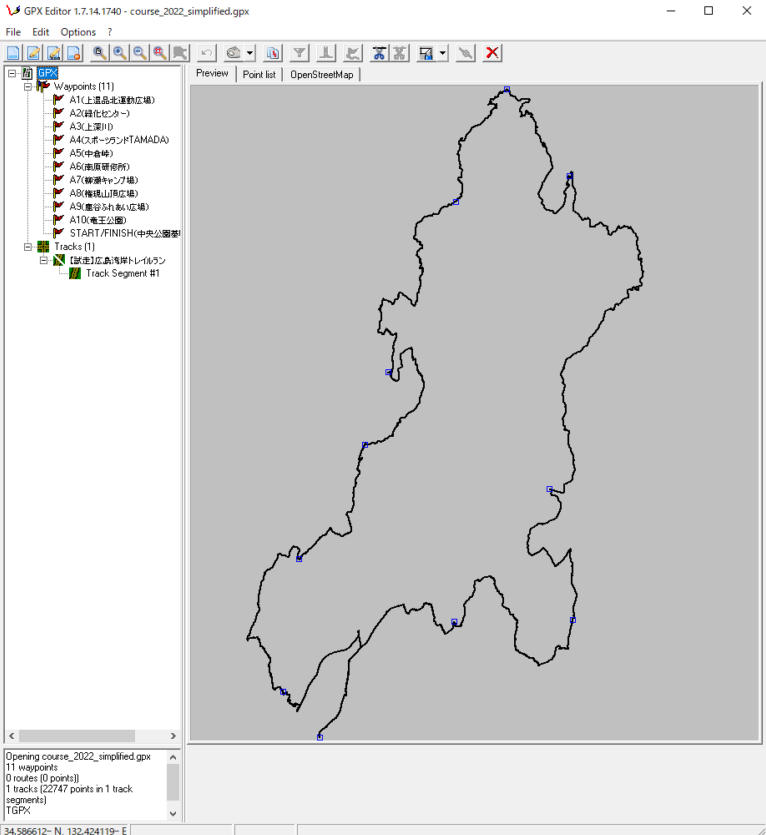
1. Open a file in GPX Editor.